Plan Limits and Usage
Plan limits are enforced by the backend. Use the billing page to compare your workspace's live usage with its current plan before creating more resources.
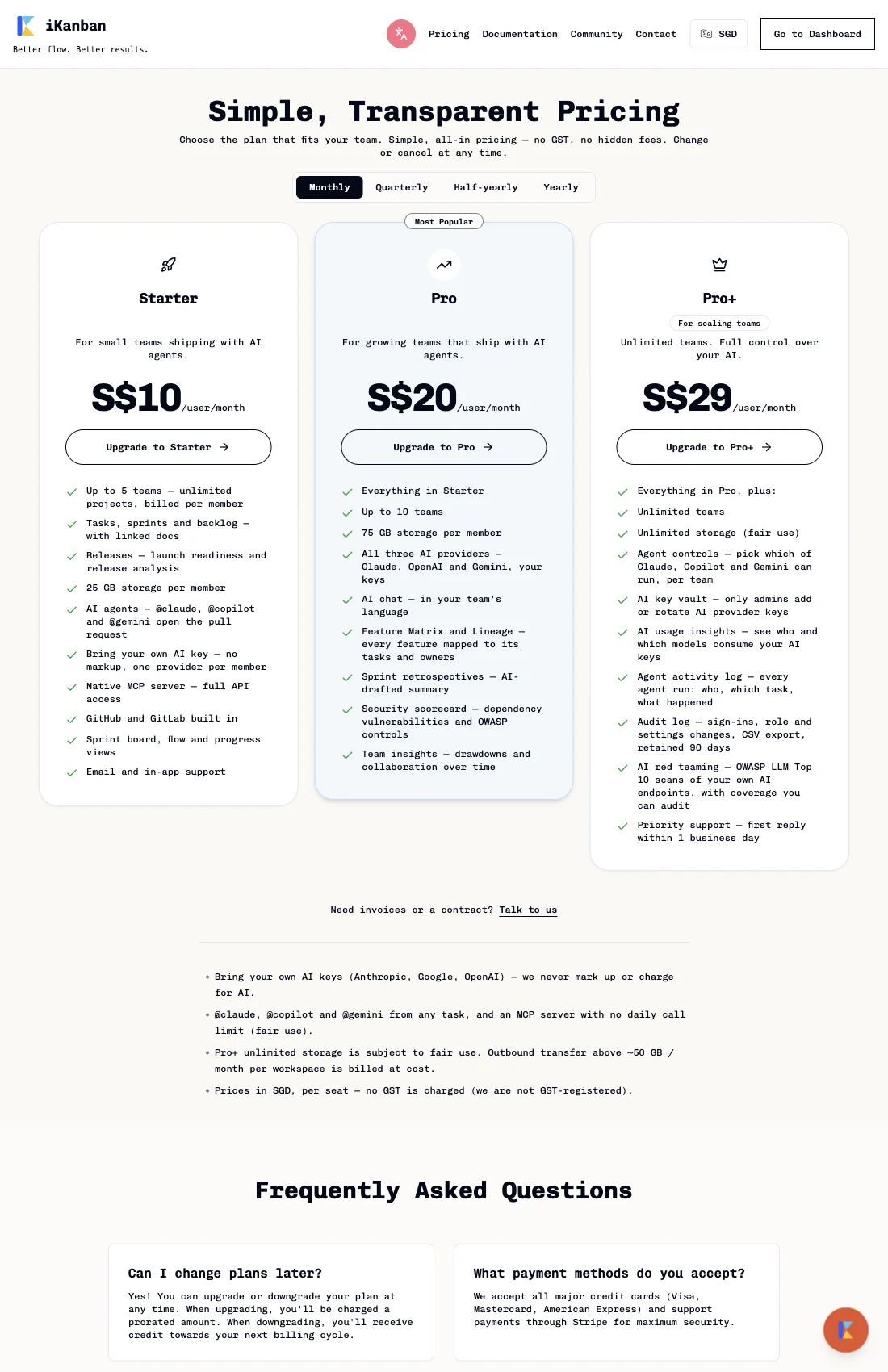
Current plan caps
The public plan-limits endpoint currently reports these workspace limits:
| Plan | Teams | Projects | Members | Storage allowance |
|---|---|---|---|---|
| Starter | 5 | Unlimited | Unlimited | 25 GB per member |
| Pro | 10 | Unlimited | Unlimited | 75 GB per member |
| Pro+ | Unlimited | Unlimited | Unlimited | Unlimited (fair use) |
The checked backend source defines a separate issue-record cap per team: Starter 2,000, Pro 5,000, and Pro+ 10,000 issue records per team. This cap is not returned by the public plan-limits endpoint or shown on the pricing cards. The source applies the cap when an issue is created and returns an upgrade-path response. Confirm that the deployed backend uses these values before planning a bulk import; production enforcement was not exercised for this guide.
Storage is seat-scaled: the plan's per-member allowance is multiplied by the workspace's billable member count. Pro+ unlimited storage remains subject to fair-use terms; see Pricing for the current policy.
Check live usage
- Open Settings → Billing in the workspace.
- Find Usage Overview. It shows current and allowed members, teams, projects, and storage for the active plan.
- Expand the storage row to inspect the available storage breakdown by team.
- If a meter is yellow, usage has reached 80% of its cap. A red meter indicates the cap has been reached or exceeded.
- To review plan options, open Pricing. Existing paid subscribers manage plan changes from Settings → Billing.
When a cap is reached
The backend checks a requested create, invite, or storage upload against the workspace's current plan. At a hard cap, the request is rejected with a plan-limit response; the page does not promise that every related Create button is disabled in advance. Issue creation has its own per-team cap and returns an upgrade-path response when reached.
Subscriptions in trialing or past_due status use the soft-limit path: a
request can be allowed with a warning. Other subscription states use the hard
limit path. The reviewed enforcement path rejects over-limit actions; it does
not automatically delete teams, projects, members, or issues.
Plan changes
Open Settings → Billing to review a plan change, cancel a subscription, or open the Stripe billing portal. The public billing terms state that upgrades are prorated, downgrade credit applies to a later billing cycle, and cancellation keeps access until the current period ends. Payments already made are non-refundable. Review the confirmation dialog and checkout totals before confirming a change.
Implementation reference
The public plan matrix is returned by GET /api/plan-limits?currency=sgd.
Workspace usage comes from the billing usage endpoint. Team issue creation has a
separate plan gate; a workspace usage meter does not represent its per-team issue
count.