Plans and Billing
The public pricing page compares Starter, Pro, and Pro+. Prices are in SGD per member per month. Quarterly, half-yearly, and yearly prices are effective monthly rates; the selected period is billed as a single subscription period. The API drives prices and plan features, so check Pricing for the current offer before checkout.
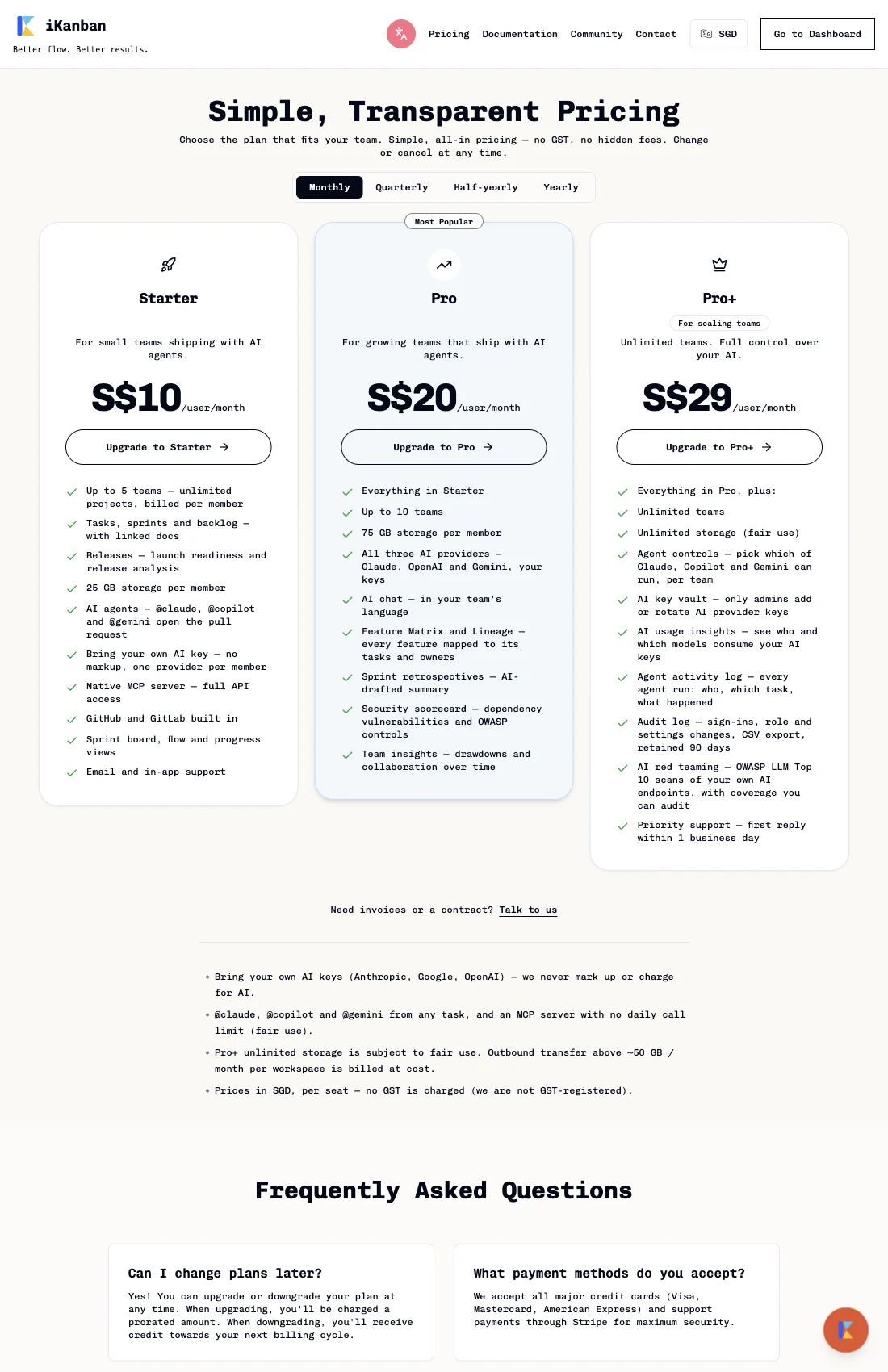
Compare plans
The figures below were returned by the public GET /api/plan-limits?currency=sgd
endpoint on 24 September 2026. They are a snapshot; the pricing page and its API
response are the live source of truth.
| Plan | Monthly | Quarterly | Half-yearly | Yearly | Teams | Storage per member |
|---|---|---|---|---|---|---|
| Starter | S$10.00 | S$9.00 | S$8.50 | S$7.90 | 5 | 25 GB |
| Pro | S$20.00 | S$18.00 | S$17.00 | S$15.80 | 10 | 75 GB |
| Pro+ | S$29.00 | S$26.10 | S$24.65 | S$22.91 | Unlimited | Unlimited (fair use) |
All three plans include unlimited projects and members. Billing is per member. Pro adds the additional AI providers, AI chat, Feature Matrix and Lineage, retrospectives, security scorecard, and team insights. Pro+ adds unlimited teams and storage, per-team agent controls, an admin-only AI key vault, usage and activity visibility, an audit log, AI red-team scans, and priority support. See the live card for the full feature list and current wording.
View prices and choose a plan
- Open Pricing.
- Select Monthly, Quarterly, Half-yearly, or Yearly. The displayed rate is per member per month; non-monthly options show the selected billing period and any discount.
- Compare the plan limits and feature list. Use Talk to us for invoices or contracts.
- Select the plan action to continue to sign-up or billing management. Review the period, seat count, currency, and total in checkout before confirming.
For an existing paid subscription, the plan action routes to Settings → Billing. That page shows the current plan and usage, lets you change or cancel the subscription, and opens Stripe’s billing portal for payment method management. Public pricing currently advertises no free trial. Upgrades are prorated; downgrades apply credit to a later billing cycle. Cancellation stops renewals while access continues through the current billing period; payments already made are non-refundable, including the unused remainder of that period.
Technical notes
- The pricing page reads the public
GET /api/plan-limits?currency=sgdendpoint. Plan prices, limits, and feature availability are API-backed; do not treat this Markdown table as a price calculator. - Prices are SGD per member. Changing the billing period selects a different billing-period price at checkout.
- AI provider keys are bring-your-own-key; the pricing page states that iKanban does not add an AI usage markup.
- Pro+ unlimited storage is subject to fair use. The live pricing page states that outbound transfer above approximately 50 GB per workspace per month is billed at cost.